How to Import References from Web Pages and Search Results
1 min read
ReadCube offers several ways to import references from web pages and web search results.
To import a reference directly from search results such as PubMed or publisher web pages, be sure to install our browser extension for the browser of your choice.
With the extension installed, you can import articles directly from search results into your ReadCube library:
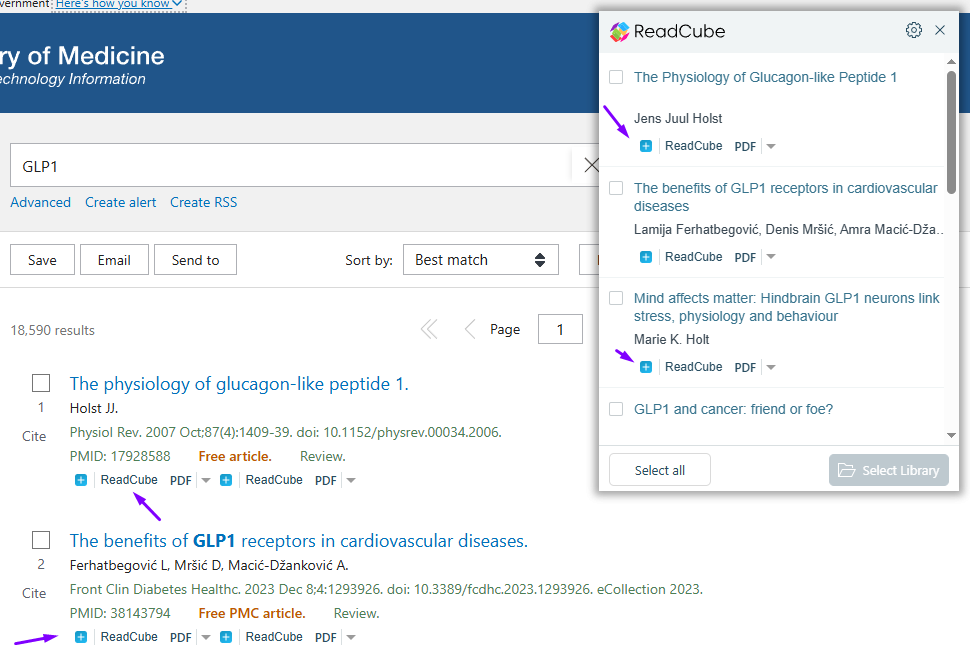
You can import using our extension menu on the top right of your browser, or by clicking on the “Add to library” button next to the article itself. For more information on our browser extension, please check our guide here.
Individual webpages can also be added to your ReadCube library, in one of the two ways described below.
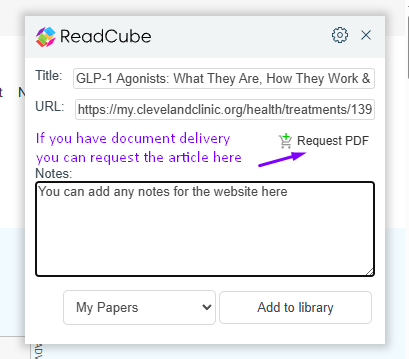
You can either import webpages via the extension by clicking on the extension to activate it on a webpage and then selecting the “Add to library” button:
Note that if your organization has document delivery, you can also request the webpage be delivered to you in PDF format, if possible.
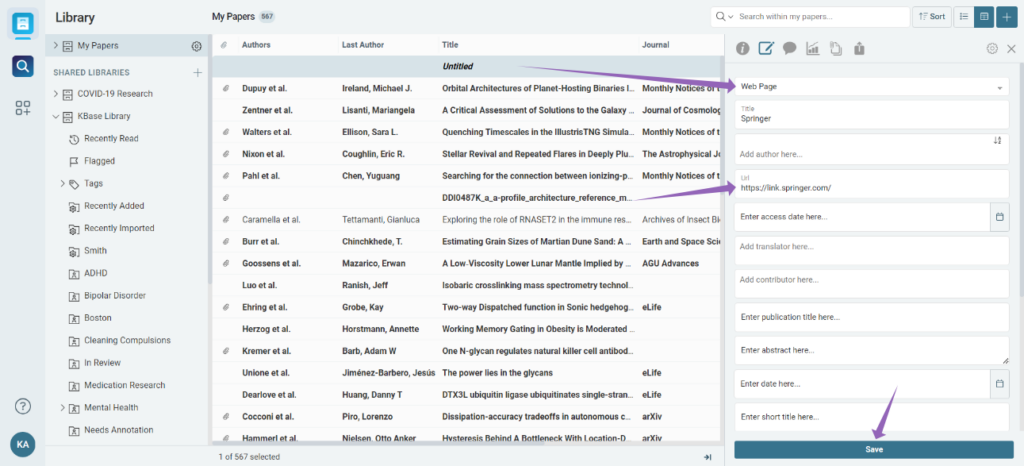
Or you can manually enter website information via the “Create Manual Entry” option directly in ReadCube by clicking the “+” button, selecting “Create Manual Entry…” and then manually inputting the webpage information: